 EasyMD
Every image and video on the page, in one click.
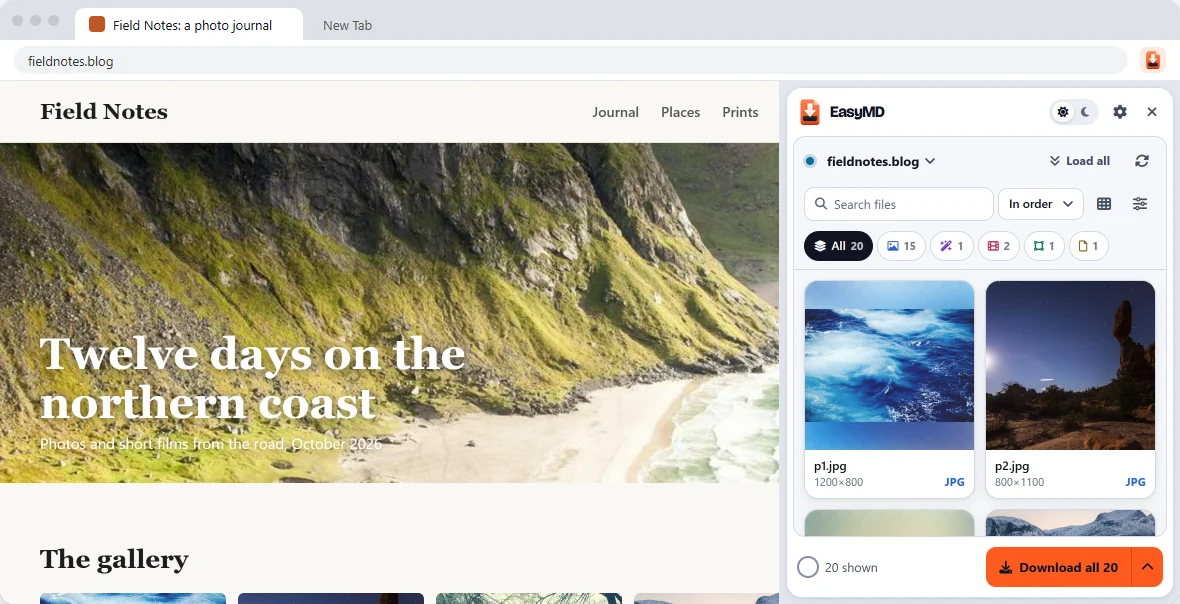
Easy Media Downloader finds every photo, GIF, video, SVG and document on a page and saves them as one ZIP, in the order they appear. Free, no account.
What it does
Made for the boring part of saving media.
Right-click and Save as works for one picture. EasyMD is for the other 40.
Finds what's really there
Lazy-loaded images, CSS backgrounds, gallery links to the full-size file, videos, inline SVGs and PDFs. Live mode adds new ones as the page loads them.
One ZIP, in page order
Files are numbered the way they appear on the page, so a product gallery or a comic stays in order. Or save them as separate files.
Filters that make sense
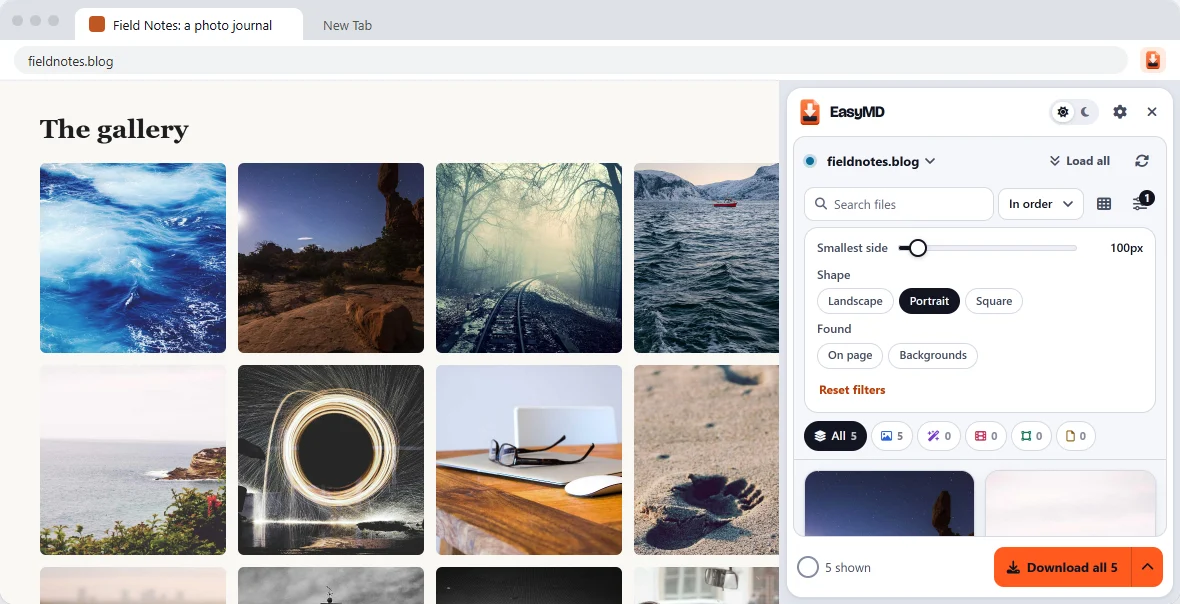
Type, size and shape, search by name, sort by size. Icons and tracking pixels stay out of your way.
Preview before you save
Arrow through every file at full size, with its real dimensions, format and weight.
A real video player
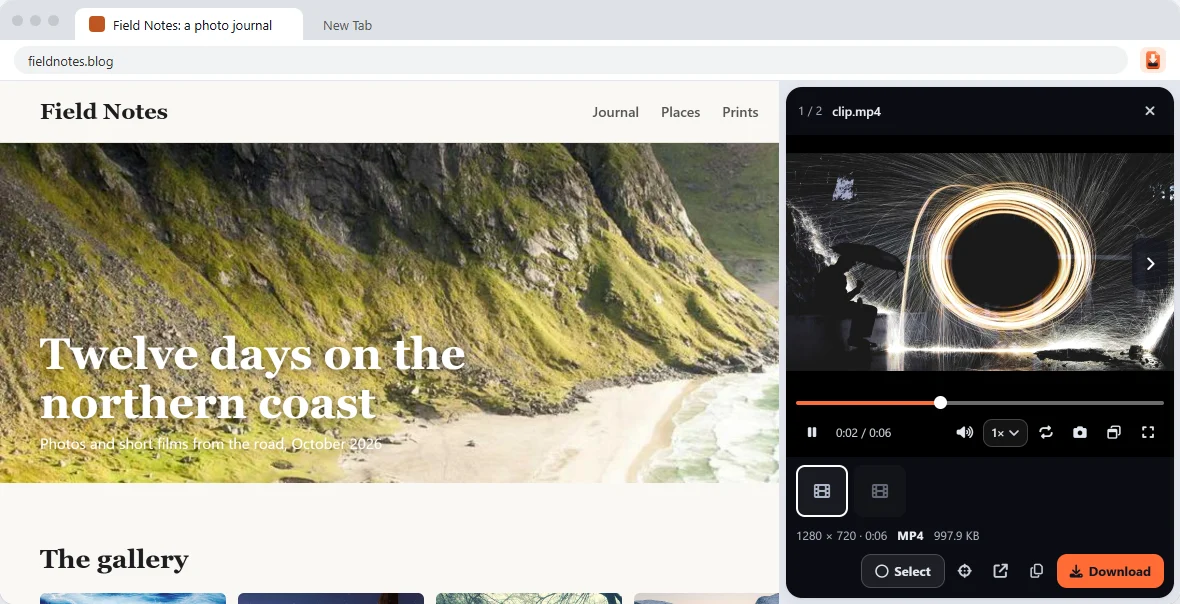
Speed, loop, picture-in-picture and keyboard seeking, right in the panel.
WebP to JPG
Save any single image as JPG or PNG from the preview or the right-click menu.
Pick a few, or take them all
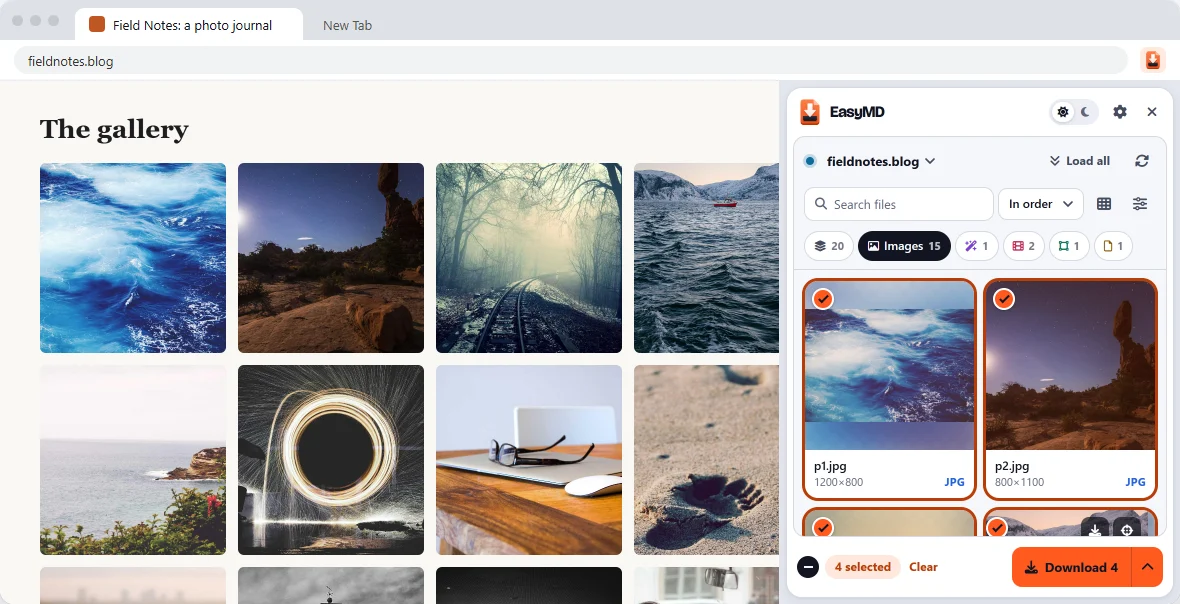
Click to select, Shift-click for a range, Ctrl+A for everything shown. The Download button always says how many files you're about to get.
Narrow it down
Only portraits, only big files, only what was on the page and not in CSS. Filters remember your smallest-size choice.
Watch it before you keep it
Videos play in the panel. Step through frames and save the one you want as a PNG.
Pricing
Free does the whole job. Pro saves you time.
Everything EasyMD did for free stays free. Pro is a one-time payment for people who download a lot.
Free
- Scan any page, live updates while it loads
- Up to 100 files per download
- ZIP in page order or separate files
- Filters, search, preview and video player
- Save one image as JPG or PNG
Pro
- Unlimited files per download, 8 at a time
- All open tabs at once
- Bulk convert WebP and AVIF to JPG or PNG
- Your own file names and a folder per site
- Video frame step and save frame as PNG
Every Pro feature works 5 times free inside the extension, so you can try before you pay. Buying in the extension turns Pro on by itself.
Privacy
Your pages stay yours.
EasyMD works inside your browser. The list of files it finds never leaves your computer, and downloads go straight from the website to you.
- No account, no sign-up
- No analytics, ads or trackers
- Files never pass through our servers
- Pro licence is checked on your computer, offline
Questions
Good to know
Does it work on every site?
It works on most sites. Some media can't be saved by any extension: DRM-protected streams (Netflix, Prime Video), and videos sent in small pieces (most YouTube and Instagram videos). Chrome also blocks extensions on the Chrome Web Store and on browser settings pages.
Why does it ask to read data on all websites?
That's how it can see the images and videos on whatever page you open it on. It only looks when you open it or use the right-click menu, and nothing it sees is sent anywhere.
What happens after 100 files on Free?
You can download the first 100, then the next 100 in another download. Pro takes them all in one go and faster.
I bought Pro. How do I use it on another computer?
Your licence key is on your receipt email. Open the extension, then Settings, Get Pro, I have a key, and paste it. Lost the email? Get your key again.
Something didn't download. What now?
Tell us the page address at hello@bliink.in. Sites that miss media are the most useful bug reports we get.